Frappé Charts
GitHub-inspired simple and modern charts for the web
with zero dependencies.
Click or use arrow keys to navigate data points
Create a chart
Include it in your HTML
<script src="frappe-charts.min.js" />Make a new Chart
  <!--HTML-->
  <div id="chart"></div>
// Javascript
let data = {
labels: ["12am-3am", "3am-6am", "6am-9am", "9am-12pm",
"12pm-3pm", "3pm-6pm", "6pm-9pm", "9pm-12am"],
datasets: [
{
title: "Some Data", color: "light-blue",
values: [25, 40, 30, 35, 8, 52, 17, -4]
},
{
title: "Another Set", color: "violet",
values: [25, 50, -10, 15, 18, 32, 27, 14]
},
{
title: "Yet Another", color: "blue",
values: [15, 20, -3, -15, 58, 12, -17, 37]
}
]
};
let chart = new Chart({
parent: "#chart",
title: "My Awesome Chart",
data: data,
type: 'bar', // or 'line', 'scatter', 'percentage'
height: 250
});Update Values
<div id="chart"></div><div id="chart"></div>Plot Trends
  ...
    x_axis_mode: 'tick',  // for short label ticks
                          // or 'span' for long spanning vertical axis lines
    y_axis_mode: 'span',  // for long horizontal lines, or 'tick'
    is_series: 1,         // to allow for skipping of X values
... ...
type: 'line', // Line chart specific properties:
show_dots: 0, // Show data points on the line; default 1
heatline: 1, // Show a value-wise line gradient; default 0
region_fill: 1, // Fill the area under the graph; default 0
...Listen to state change
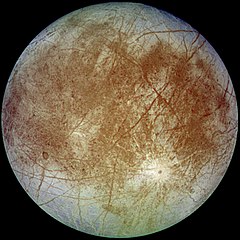
Europa
Semi-major-axis: 671034 km
Mass: 4800000 x 10^16 kg
Diameter: 3121.6 km
<div id="chart"></div>Simple Aggregations
<div id="chart"></div>Oh, and an Annual Heatmap
<div id="chart"></div>