Frappe Charts
GitHub-inspired simple and modern charts for the web
with zero dependencies.
Click or use arrow keys to navigate data points
Create a chart
  <!--HTML-->
  <div id="chart"></div>
// Javascript
let chart = new Chart( "#chart", { // or DOM element
data: {
labels: ["12am-3am", "3am-6am", "6am-9am", "9am-12pm",
"12pm-3pm", "3pm-6pm", "6pm-9pm", "9pm-12am"],
datasets: [
{
label: "Some Data", type: 'bar',
values: [25, 40, 30, 35, 8, 52, 17, -4]
},
{
label: "Another Set", type: 'bar',
values: [25, 50, -10, 15, 18, 32, 27, 14]
},
{
label: "Yet Another", type: 'line',
values: [15, 20, -3, -15, 58, 12, -17, 37]
}
]
},
title: "My Awesome Chart",
type: 'axis-mixed', // or 'bar', 'line', 'pie', 'percentage'
height: 250,
colors: ['#7cd6fd', 'violet', 'blue']
});Update Values
Plot Trends
Listen to state change
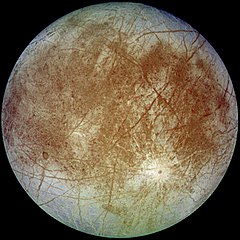
Europa
Semi-major-axis: 671034 km
Mass: 4800000 x 10^16 kg
Diameter: 3121.6 km
  ...
    isNavigable: 1, // Navigate across data points; default 0
  ...

  chart.parent.addEventListener('data-select', (e) => {
    update_moon_data(e.index); // e contains index and value of current datapoint
  });
And a Month-wise Heatmap
  let heatmap = new Chart({
    parent: "#heatmap",
    type: 'heatmap',
    height: 115,
    data: heatmapData,  // object with date/timestamp-value pairs

    discreteDomains: 1  // default: 0

    start: startDate,
                  // A Date object;
                  // default: today's date in past year
                  //          for an annual heatmap

    legendColors: ['#ebedf0', '#fdf436', '#ffc700', '#ff9100', '#06001c'],
                  // Set of five incremental colors,
                  // beginning with a low-saturation color for zero data;
                  // default: ['#ebedf0', '#c6e48b', '#7bc96f', '#239a3b', '#196127']

  });
All available options:
  // Javascript
    let data = {
      labels: ["12am-3am", "3am-6am", "6am-9am", "9am-12pm",
        "12pm-3pm", "3pm-6pm", "6pm-9pm", "9pm-12am"],

      datasets: [
        {
          label: "Some Data", type: 'bar',
          values: [25, 40, 30, 35, 8, 52, 17, -4]
        },
        {
          label: "Another Set", type: 'bar',
          values: [25, 50, -10, 15, 18, 32, 27, 14]
        },
        {
          label: "Yet Another", type: 'line',
          values: [15, 20, -3, -15, 58, 12, -17, 37]
        }
      ]
    };

    let chart = new Chart( "#chart", { // or DOM element
      title: "My Awesome Chart",
      data: data,
      type: 'axis-mixed', // or 'bar', 'line', 'pie', 'percentage'
      height: 250,
      colors: ['#7cd6fd', 'violet', 'blue']
    });
Install
Install via npm
npm install frappe-chartsAnd include it in your project
import Chart from "frappe-charts/dist/frappe-charts.min.esm"... or include it directly in your HTML
<script src="https://unpkg.com/frappe-charts@0.0.8/dist/frappe-charts.min.iife.js"></script>